


You suggest. The group decides.
The stops and the transport between them, the plan for each day, where you’re sleeping, the tickets already bought, everyone’s expenses and everyone’s photos. In one place — and every decision that matters is made by the group.
The iPhone and Android apps are on their way. In the meantime Linki runs in full from the browser — including your phone’s.
We all know how this goes.
- One person opens a dozen browser tabs and closes them again without deciding anything.
- The chat passes four hundred messages and nobody remembers which hotel was the second one.
- Back home, the accounts live in the head of whoever paid for everything up front.
Linki isn’t another chat. It keeps the pieces where they belong and turns every choice into a vote that closes on its own.
How it works
Three steps, and the trip belongs to everyone.
Create the trip
Where you’re leaving from, where you’re going, when. One stop or eight — and you don’t have to pick how you get between them: Linki works that out once the trip is saved.
Invite whoever’s coming
One link over WhatsApp. Whoever opens it joins the trip and sees the same stops, the same polls, the same expenses. The invite code never travels in the clear: it stays on the server.
Decide together
Where to sleep, what to do, where to eat: it goes to a vote and closes at the deadline. The organiser confirms, and the daily plan takes shape from there.
The itinerary
The stops, and how you get from one to the next.
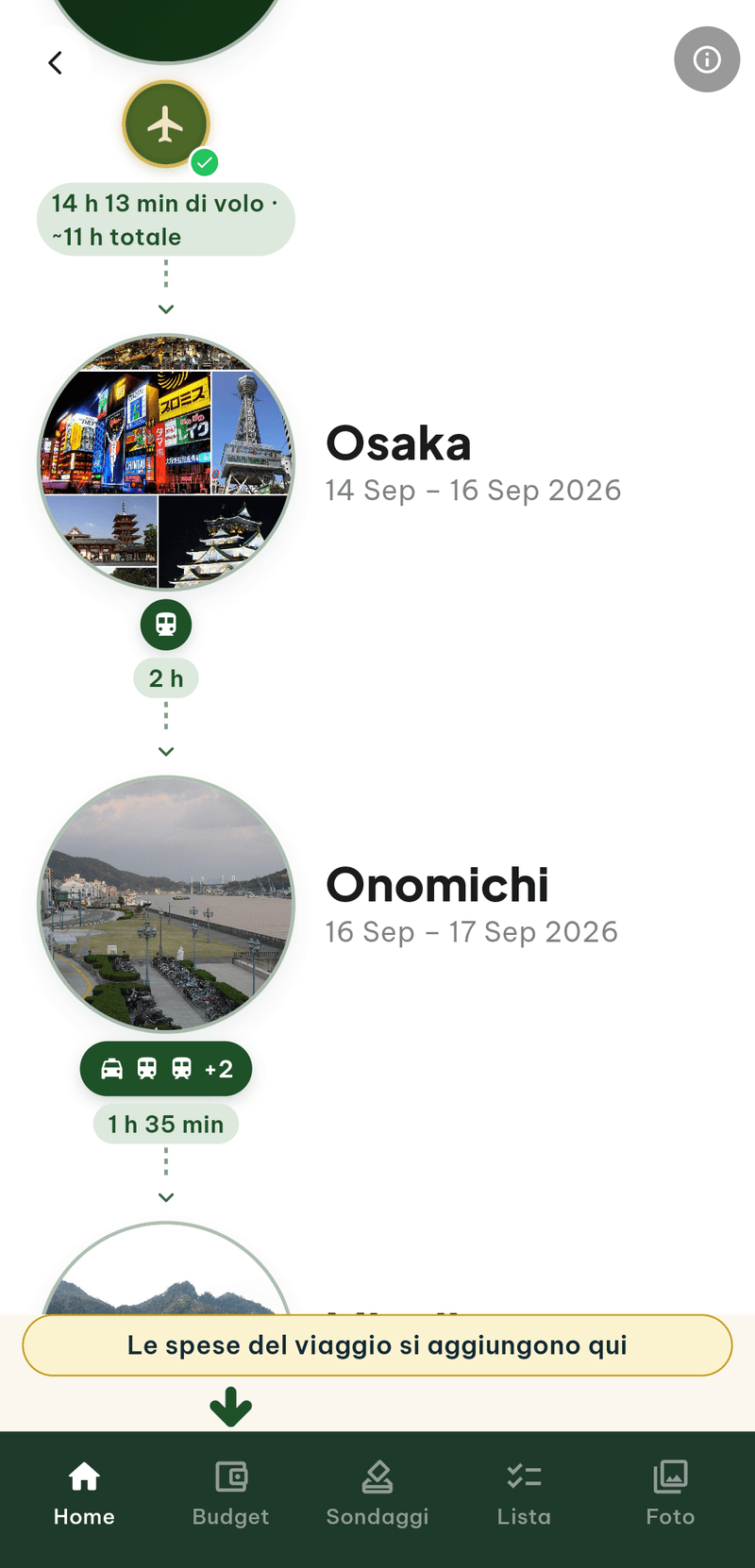
A trip is places and the legs between them. Linki draws the sequence — departure, stops, the way home — and works out a plausible mode for each leg on its own: plane, train, bus, ferry. Or a chain of three different ones, when getting to an island takes more than one.
Under the transport icon sits the actual duration, not a vague label. Tap it and you get whoever really sells that leg: Omio across Europe and Japan, 12Go across Asia, Kiwi for flights, a private transfer where nothing else reaches. If the leg isn’t covered, Linki says so instead of opening an empty page.
- The travel day is sharedYou leave one stop and arrive at the next on the same day, the way it actually happens.
- The green tick on the transportIt means the ticket for that leg is already in the trip’s document archive.
- Stops can be movedLong-press to reorder, stretch them, drop them. The ones you’ve already lived stay where they are.
If you don’t know where yet
“Give me an idea”, and three trips to vote on.
A continent, a couple of countries, the dates, who’s going. Then three questions — how fast you want to move, what kind of landscape, the classics or the places off the trail — and Linki proposes three whole itineraries: stops, nights, and the reasoning behind each choice.
Turn one into a trip with a tap. Or send all three to the group as a link: everyone scores them 1 to 10, and when the last vote lands the trip builds itself, stops and transport already in place.
Five ideas a day per person. It isn’t a limit to make you pay: each proposal costs us real money, and we’d rather say so.
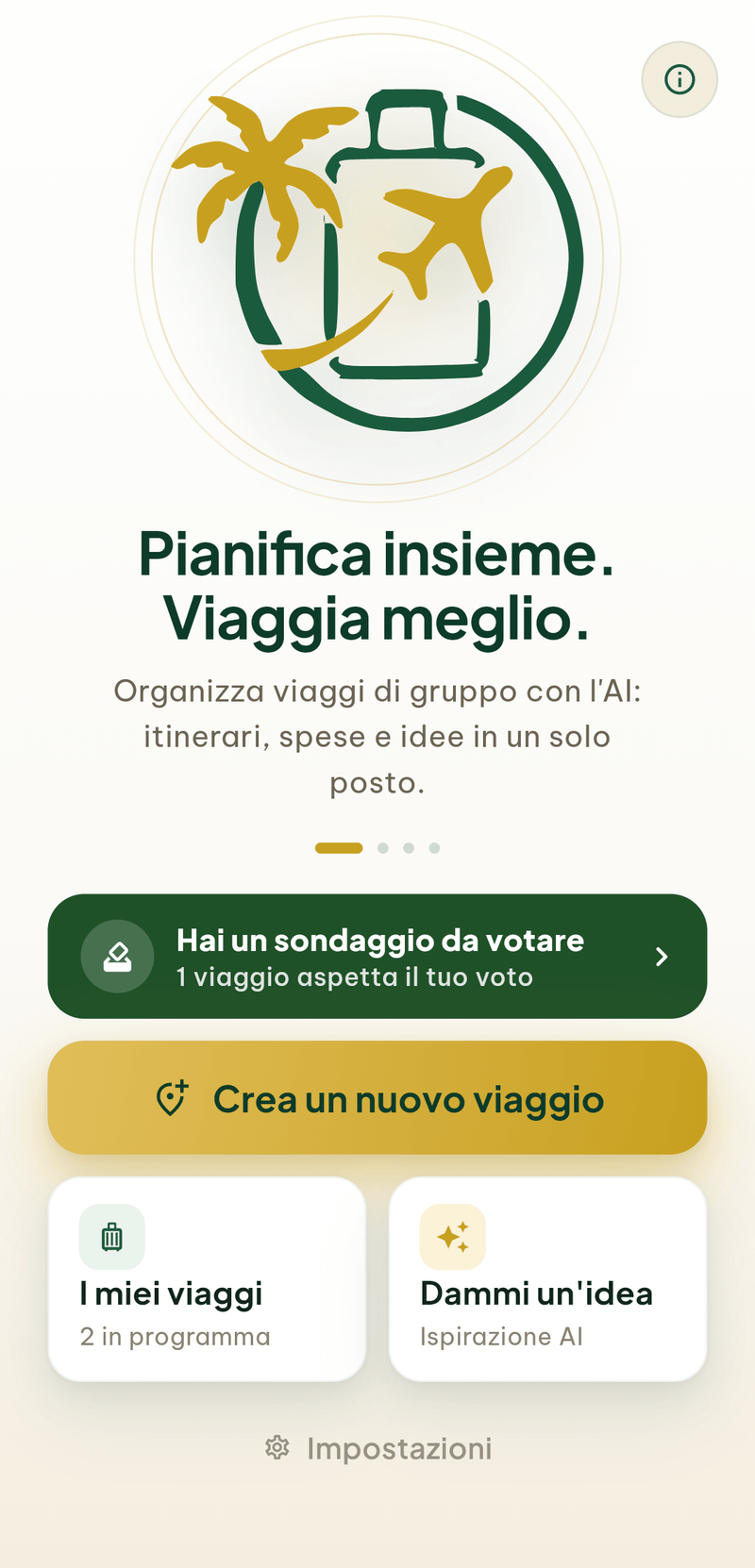
Ready-made trips
The trip is already made. You choose when.
Stops, transport and days already organised, with the things to see inside. They join your Linki with a tap: the date and the hotel are up to you.
Each one works in the right season of the year, leaving from your home.
All ready-made tripsWhat to do, and when
The daily plan, built on the hours you actually have.
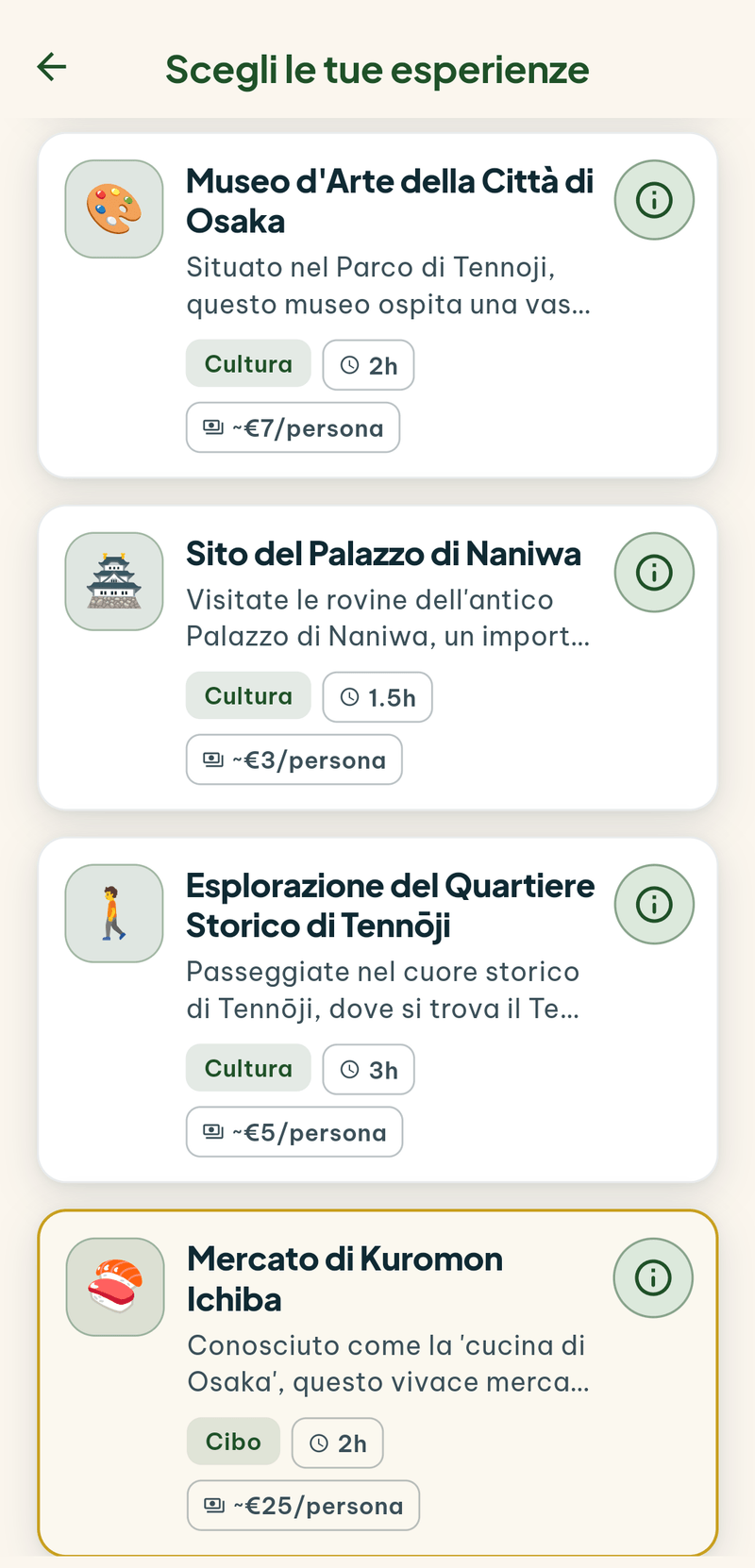
For every stop Linki puts together a list of things to do — museums, neighbourhoods, markets, day trips — each with its duration and a cost per person. The group picks and votes.
Here’s the part no spreadsheet does: Linki counts the hours you have at that stop and takes out the arrival, the departure, the meals and the moving around. If you pick more than fits, it says so while you’re voting — not afterwards, when the plan is already written.
Then it builds the days one block at a time, with a start time, a duration and the minutes it takes to get there. Or you build them by hand, block by block: who builds is decided at the start of the stop, and you can change your mind.
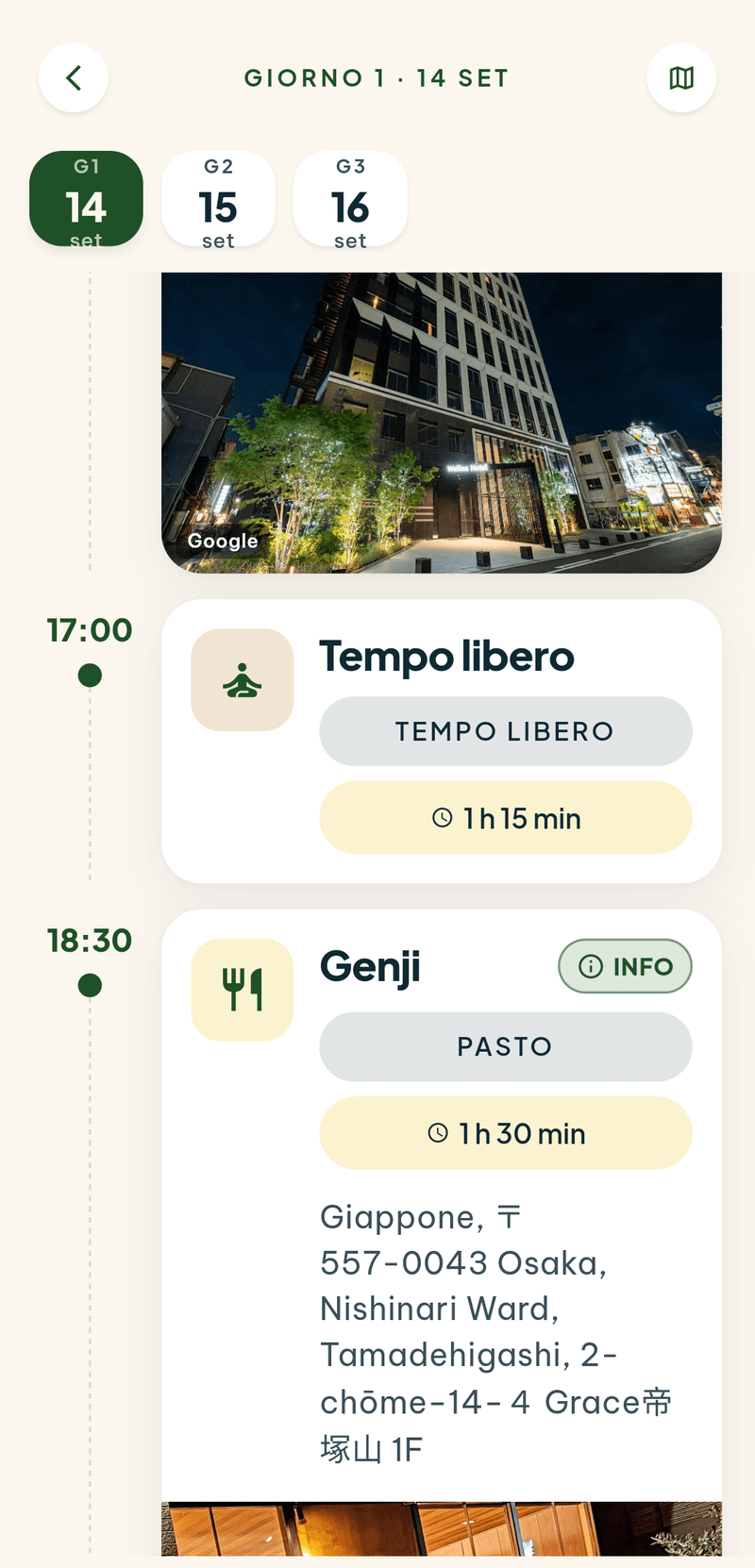
- Opening hours countA museum that closes on Tuesdays doesn’t end up on the Tuesday.
- Lunch and dinner are anchorsActivities fit around the meals, not on top of them.
- The map of the dayThe route between the day’s places, with the travel minutes added up.
- Experiences can be bookedFrom a place’s card you go to Viator or GetYourGuide with that day’s date already filled in.
Inside every place
What to know before you go.
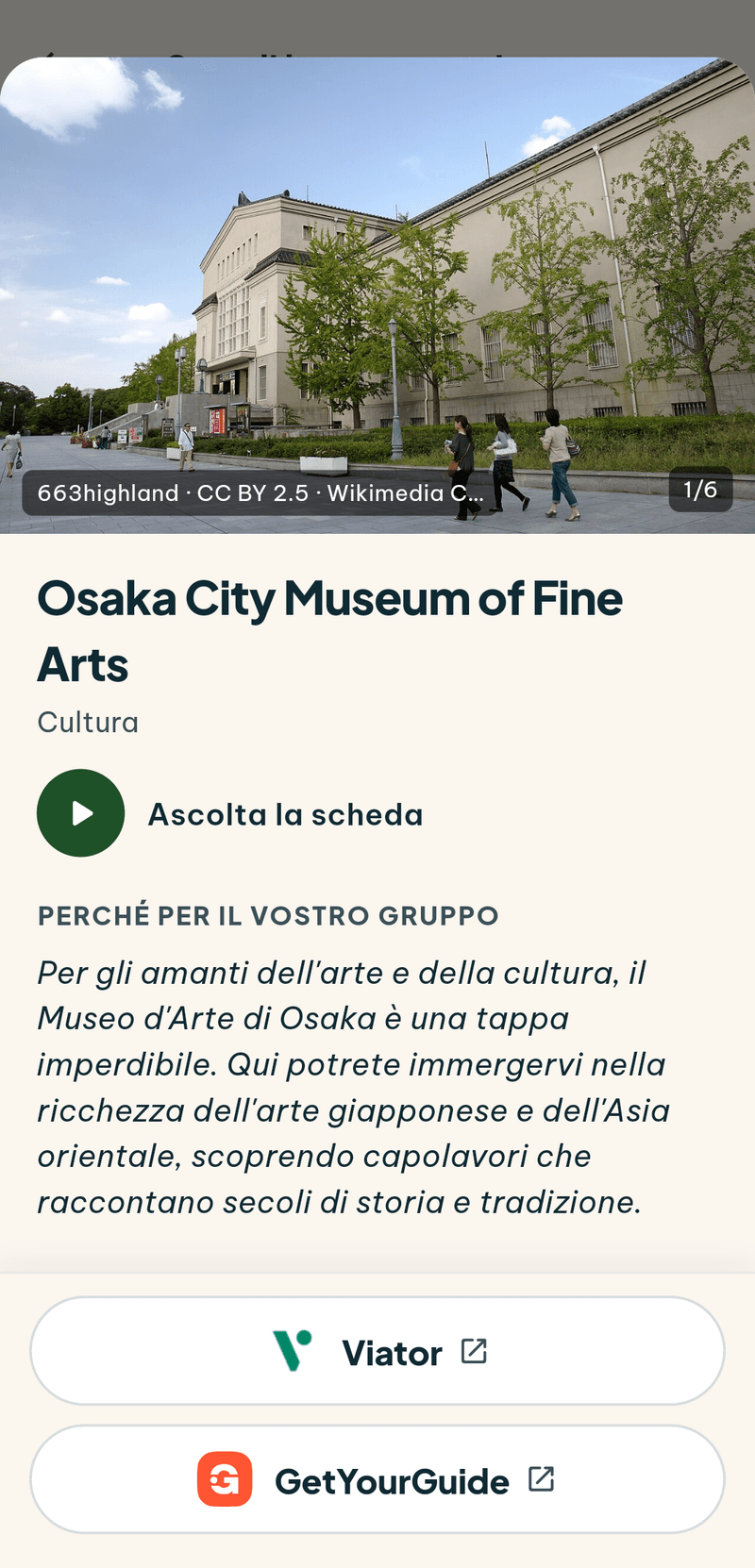
Tap the “i” on a place and its card opens: the story in a few lines, a photo gallery, how long to give it, the year, the architect — and the three lights that actually matter on a trip: is it wheelchair accessible? can you bring a child? what about the dog?
Where the fact is verified Linki takes it as read; where it’s an estimate it writes “estimate”, because a wrong opening time stated as certain is worse than no opening time at all. The facts come from OpenStreetMap and Wikidata, the story from Wikipedia rewritten — with the source at the bottom, always, and the name of whoever took the photograph.
And if you’d rather listen than read, the card reads itself out loud. Useful when your hands are full, and for anyone who doesn’t enjoy reading off a screen.
The polls
Four options, one vote each, and it closes.
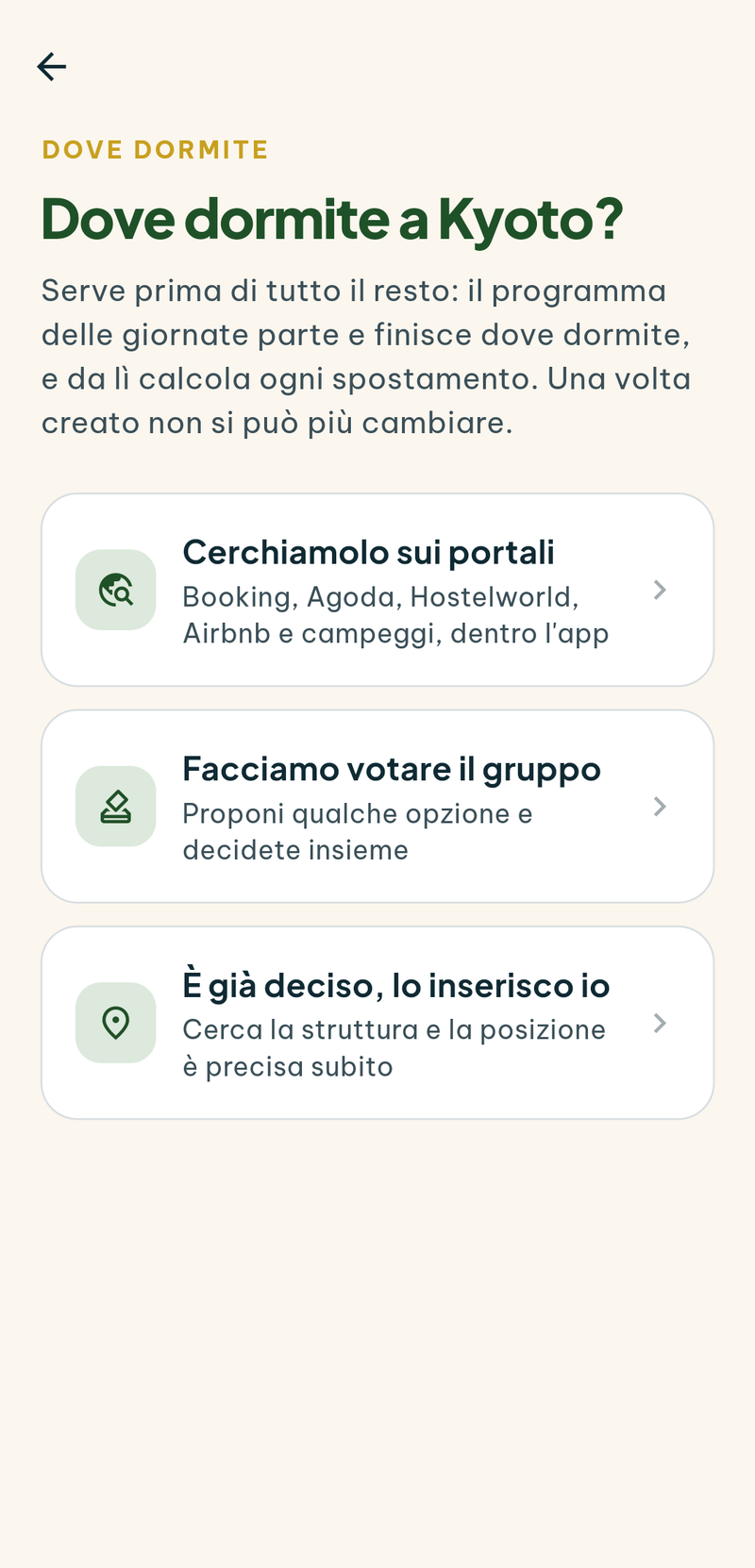
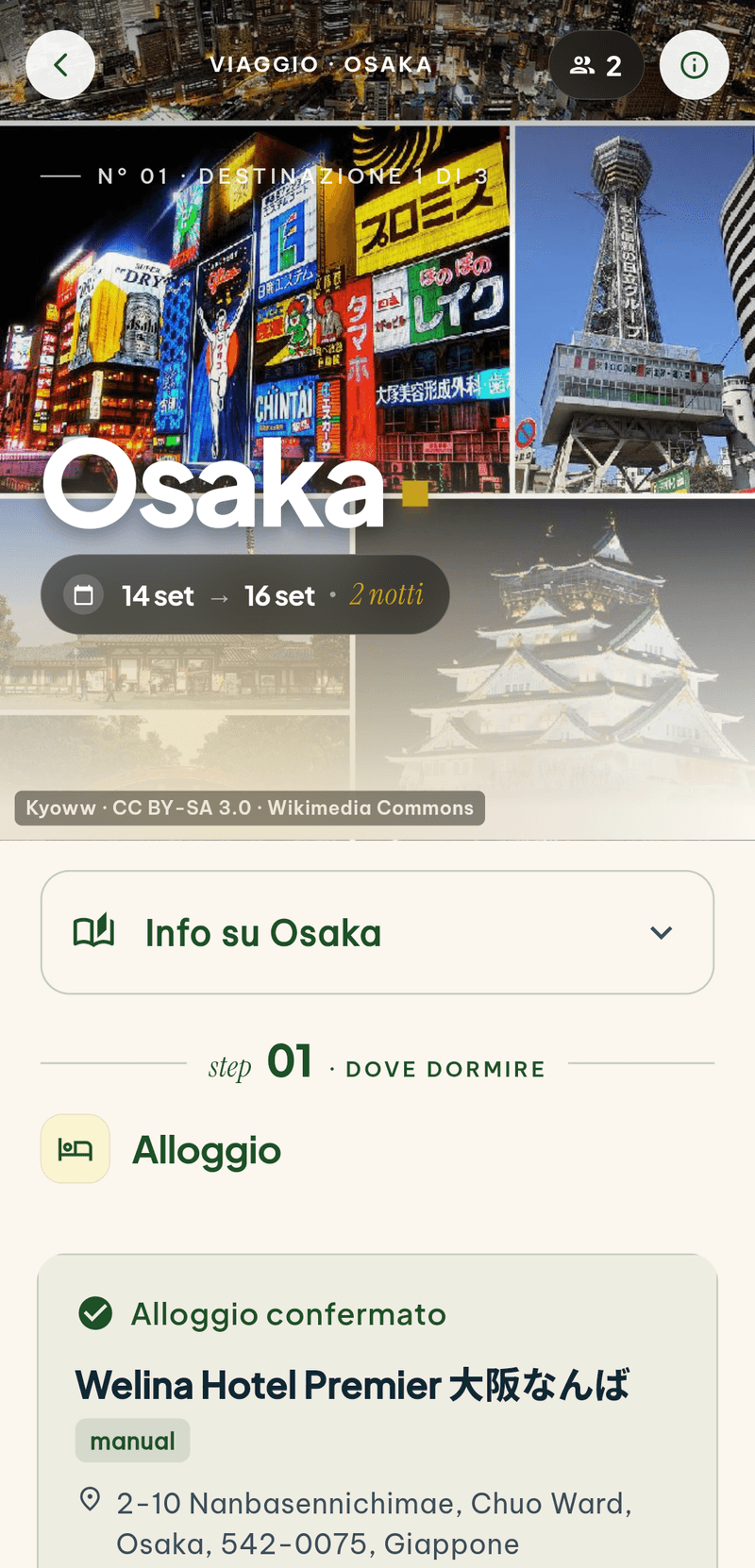
Where to sleep is where every group trip gets stuck. In Linki the organiser searches for accommodation without leaving the app — Booking, Agoda, Hostelworld, Airbnb, campsites — and puts up to four of them to a vote. Linki reads the title, the photo and the price off the page; it works out the location itself, because the daily plan starts and ends where you sleep.
Everyone votes once, and can cast a veto. At the deadline the most-voted option wins; if it’s a tie the organiser decides. If nobody voted, Linki doesn’t invent a winner: it says so.
The same mechanism covers things to do and the restaurant for the evening. And anyone who doesn’t want a vote at all can simply choose: the “already decided, I’ll enter it myself” route is always there.

Expenses
Who paid for what, and who owes whom.
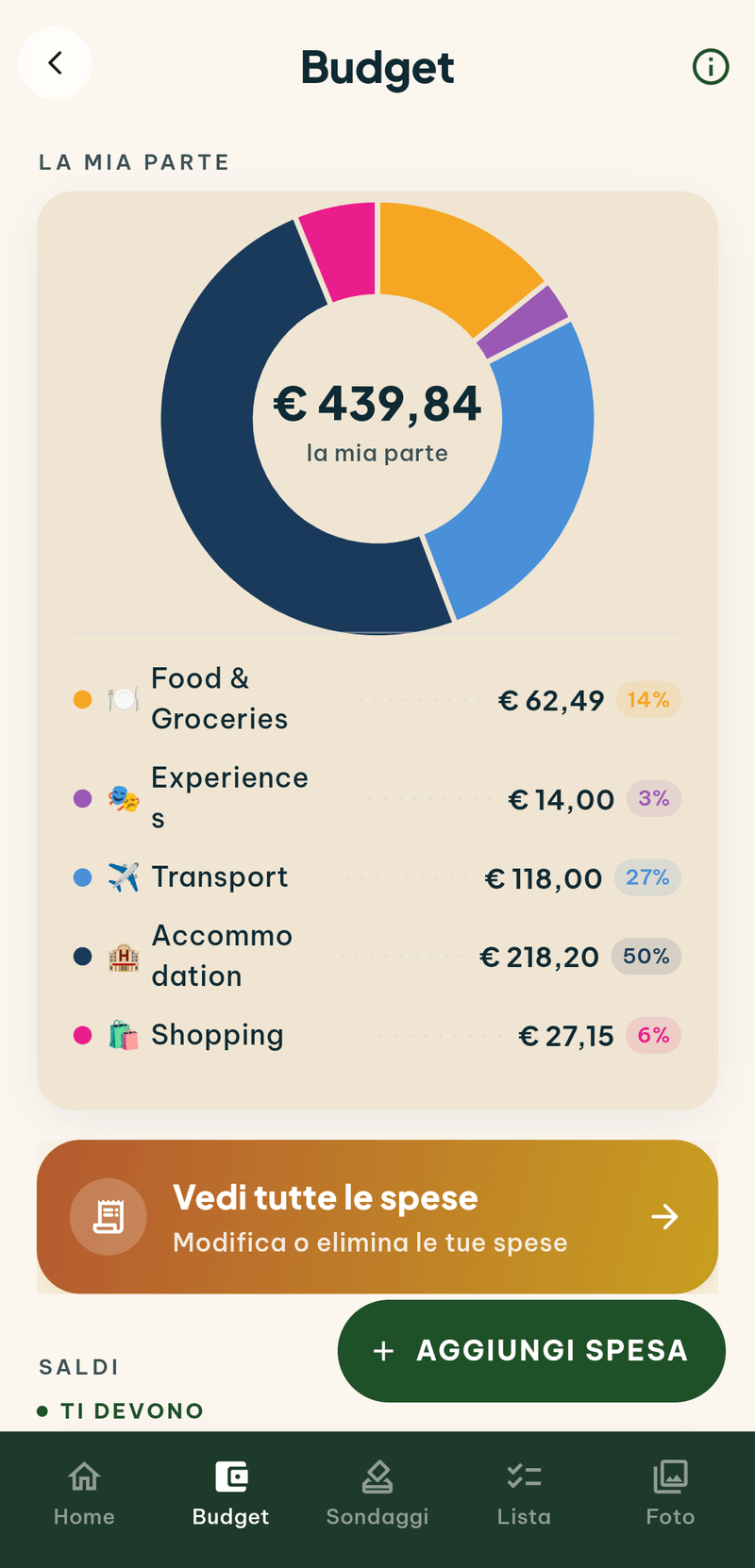
Each expense is logged by whoever made it, whenever suits: how much, what for, who to split it with. Everyone, just two of you, or on your own tab. Linki suggests the category.
An expense is written in the currency you paid in, and that’s how it stays in the list: 10,500 yen remain 10,500 yen. For the group’s accounts it’s converted at the day’s rate, and that rate is frozen — six months from now, that dinner still costs what it cost.
And it works without a signal. Expenses go in on the plane and on the island with no coverage: the last sixty days of exchange rates live on your phone, and everything syncs by itself once you’re back online.
- The total you see is yoursYour share, not the group’s: it’s the number you actually want when you open the budget.
- Balances, in one lineAt the end Linki tells you who you owe and how much. Settling up becomes a two-minute job.
- The second pair of glassesYou can view the totals in another currency without changing it for the whole group.
Before you leave
The tickets and the paperwork, in everyone’s hands.
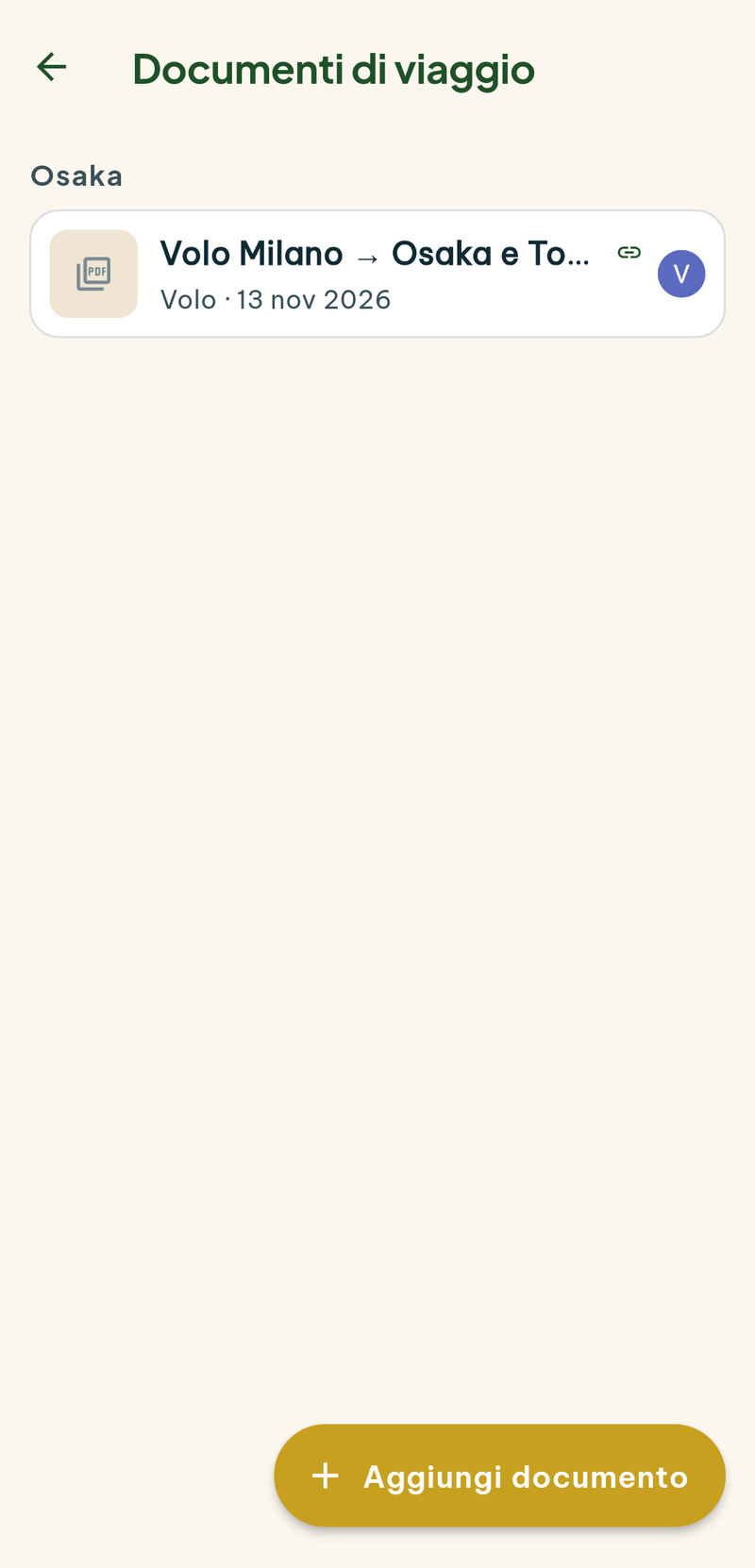
Tickets land in a shared archive. You upload the PDF and Linki reads it: it works out that it’s a flight, from where to where, on what day, under which booking reference. Then it attaches it to the right leg, and from that moment a green tick appears on the timeline — that piece of the trip is paid for, and everyone can see it.
On Android you don’t even need to open Linki: share the file from the airline’s app and Linki is among the first choices in the share sheet, with a shortcut for every open trip.
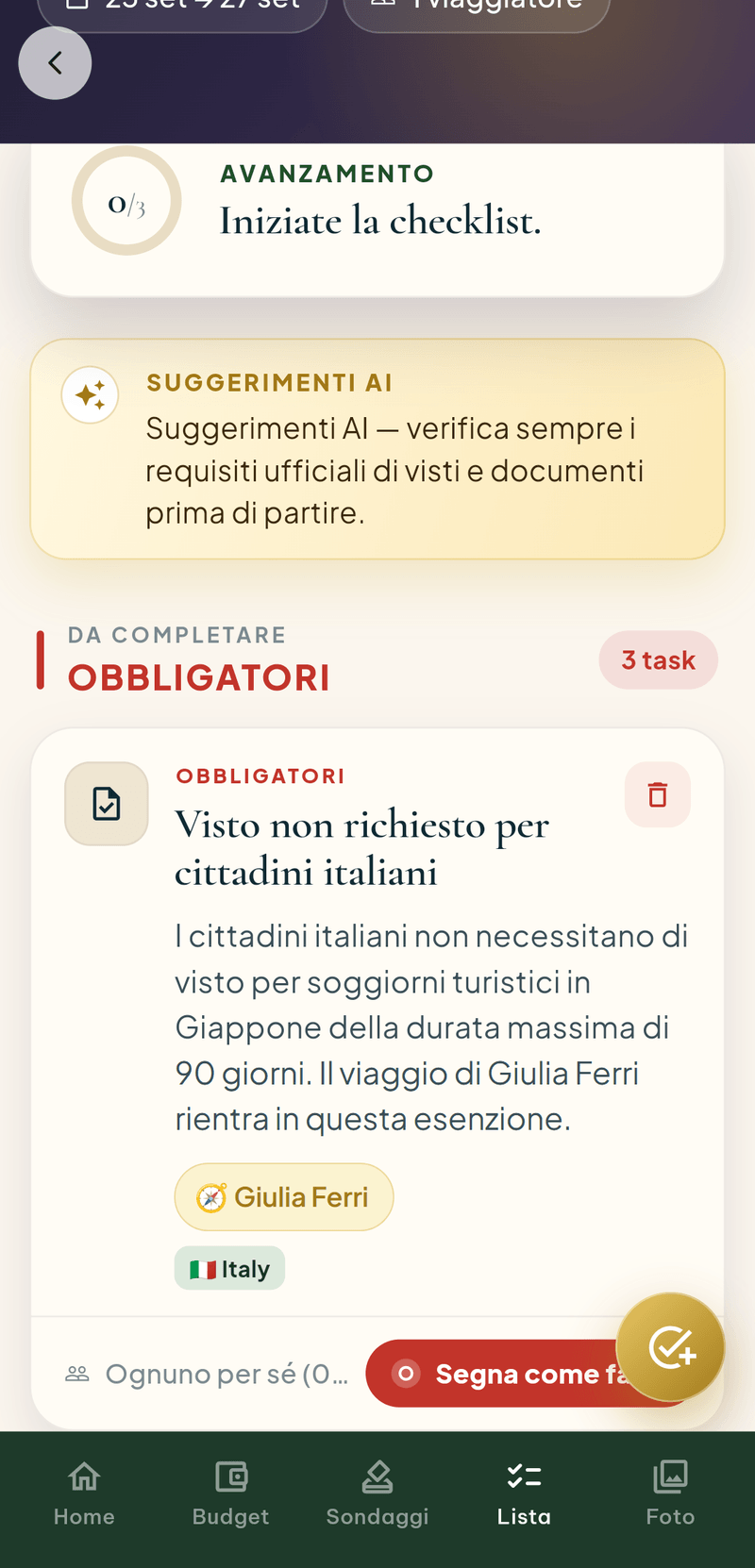
The list of things to sort out before departure is written by Linki, not by you. It knows each person’s nationality and the countries on the itinerary, and it keeps what you need to get in separate from what’s merely advisable. Thirty days out, a reminder reaches anyone with an empty box left.
The trip as a PDF
The whole trip, to print and pass on.
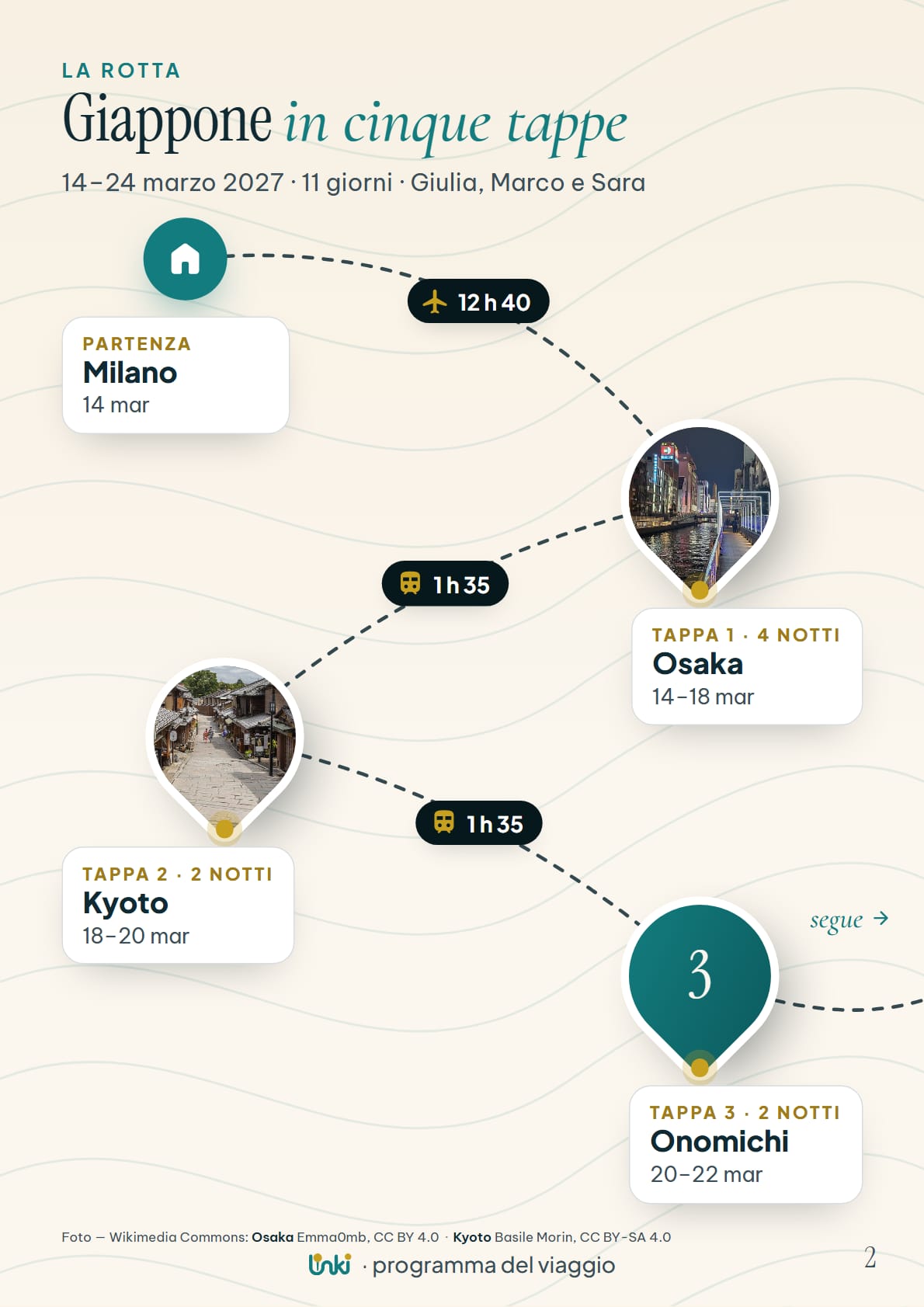
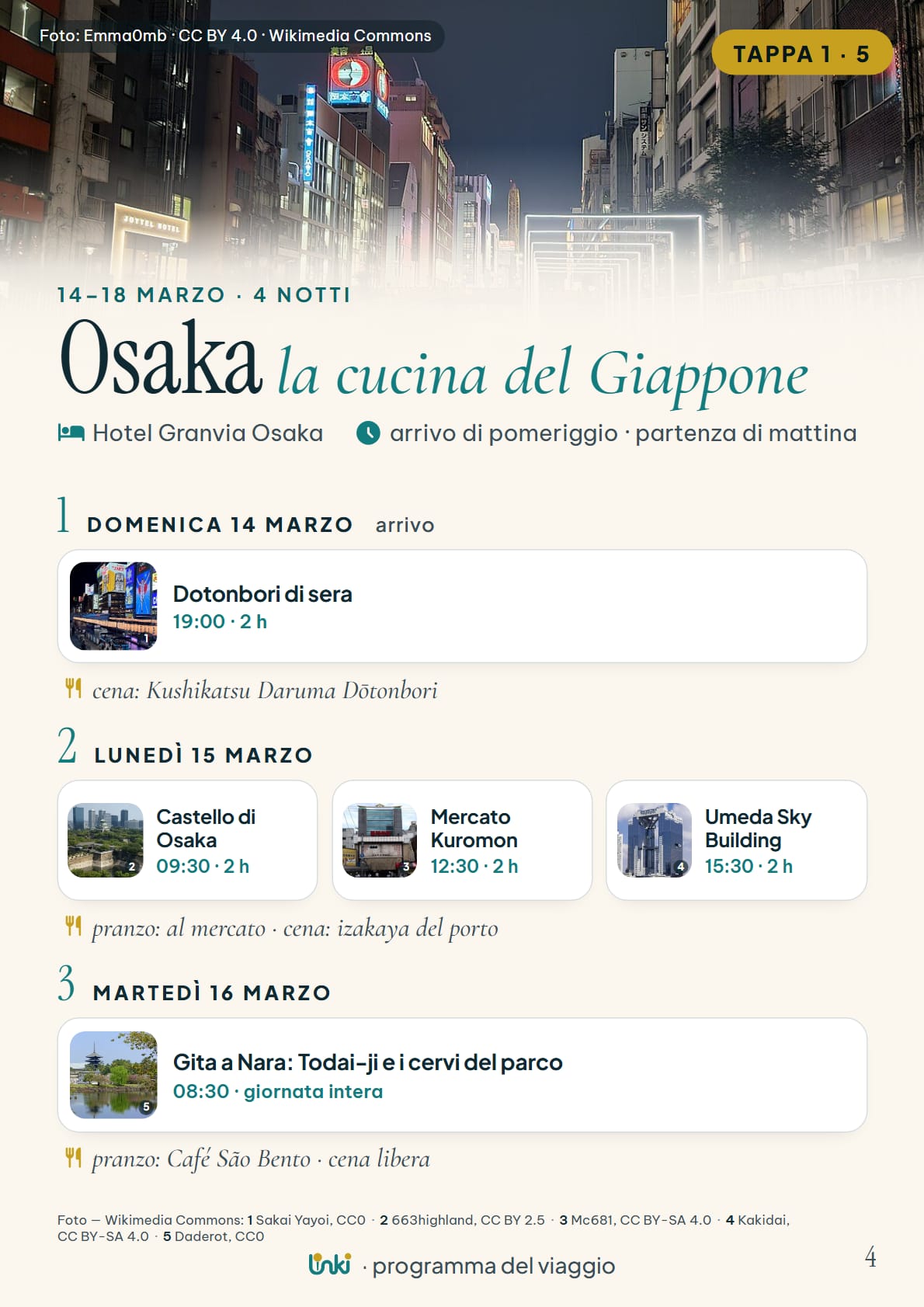
Once the days are settled, the organiser taps a button and Linki lays the trip out as a PDF: a cover with the name, the dates and who’s going; the route with the stops, the nights and the transport; then the pages for each stop, with the days, the times and where you’ll eat.
It’s made to leave the app. Send it to whoever is staying home, print it, keep it on your phone for when there’s no signal. That’s why it only carries first names and the name of the hotel: no expenses, no booking references, nothing you wouldn’t forward.
The organiser creates it, everyone can open it. And if the stops change, Linki tells you the PDF has fallen behind: one tap and it’s redone.

- In the language of the tripItalian, English, Spanish or French: labels and dates follow the language the organiser chose.
- Every photo is signedUnder the photographs from Wikimedia Commons you’ll find who took them, and under which licence.
- It reopens offlineIn the app a copy stays on your phone. From the browser it opens in a new tab, and you save it from there.
The PDF is one of the paid features: the full list is further down.

This far, you organise. From here, you go.
Back home
Everyone’s photos, in the same place.
On a trip each person takes two hundred photographs and goes home with their own. In Linki the gallery belongs to the trip: upload whenever you like, everyone sees them, and they’re ordered by the moment they were taken — not by when you uploaded them. Every photo knows which stop it belongs to.
They download at original quality, one at a time or all at once. Up to five hundred per trip.
The gallery is one of the paid features: the full list is just below.

In your browser too
On your phone, and also in your browser.
Linki opens on a computer or a tablet too, with nothing to install: a browser and a Google account are all it takes. It is the same app with the same group data: whatever you sort out on your laptop in the evening, the others find on their phones a moment later.
On a big screen the layout changes, not the rules. The stops always stay on the left, the one you open takes the rest of the space, and each day becomes a timeline: from morning to evening, with the visits, the meals, the journeys in between and the time of sunset. It is the comfortable place to plan the trip calmly, before you leave.
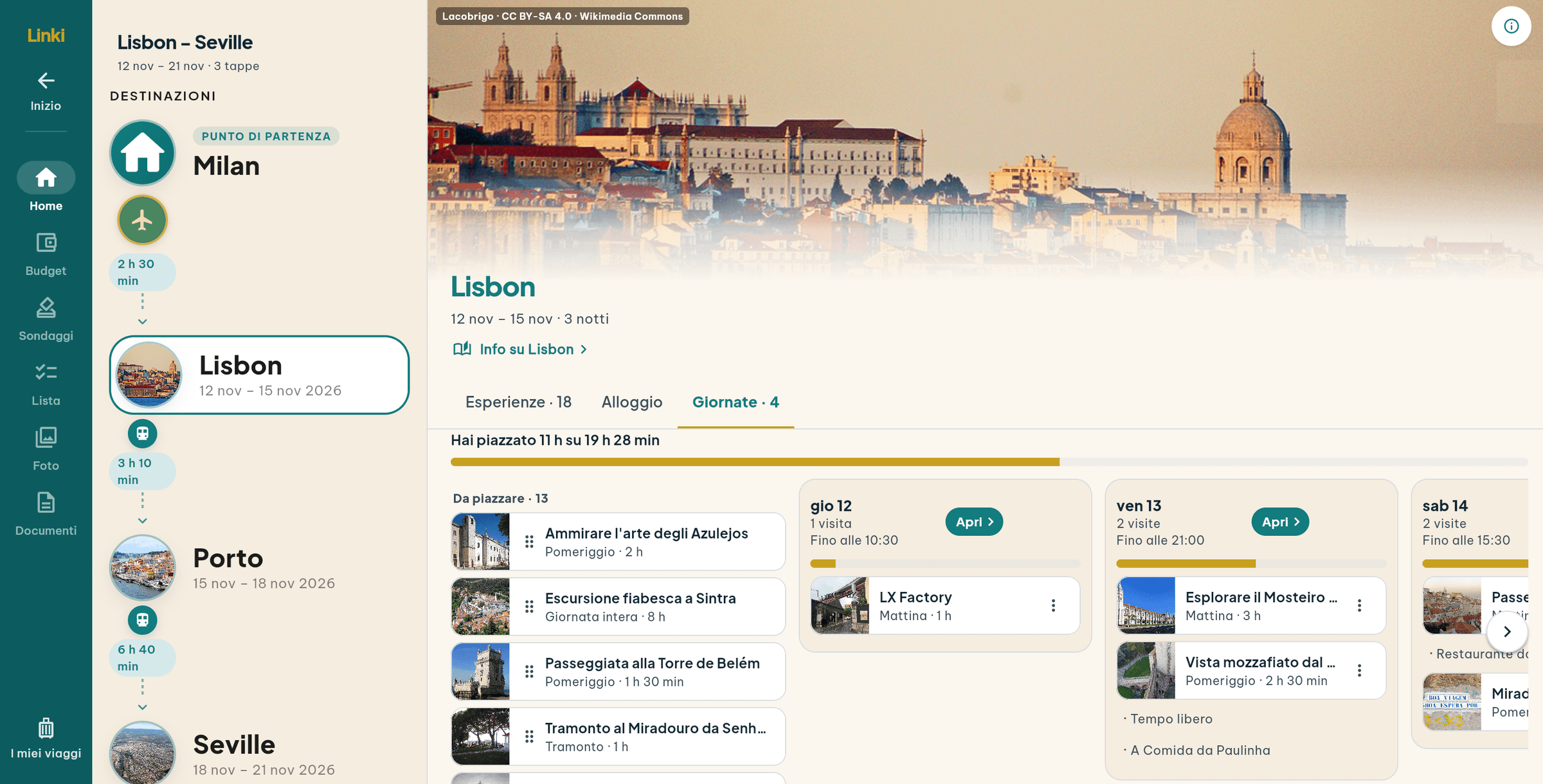
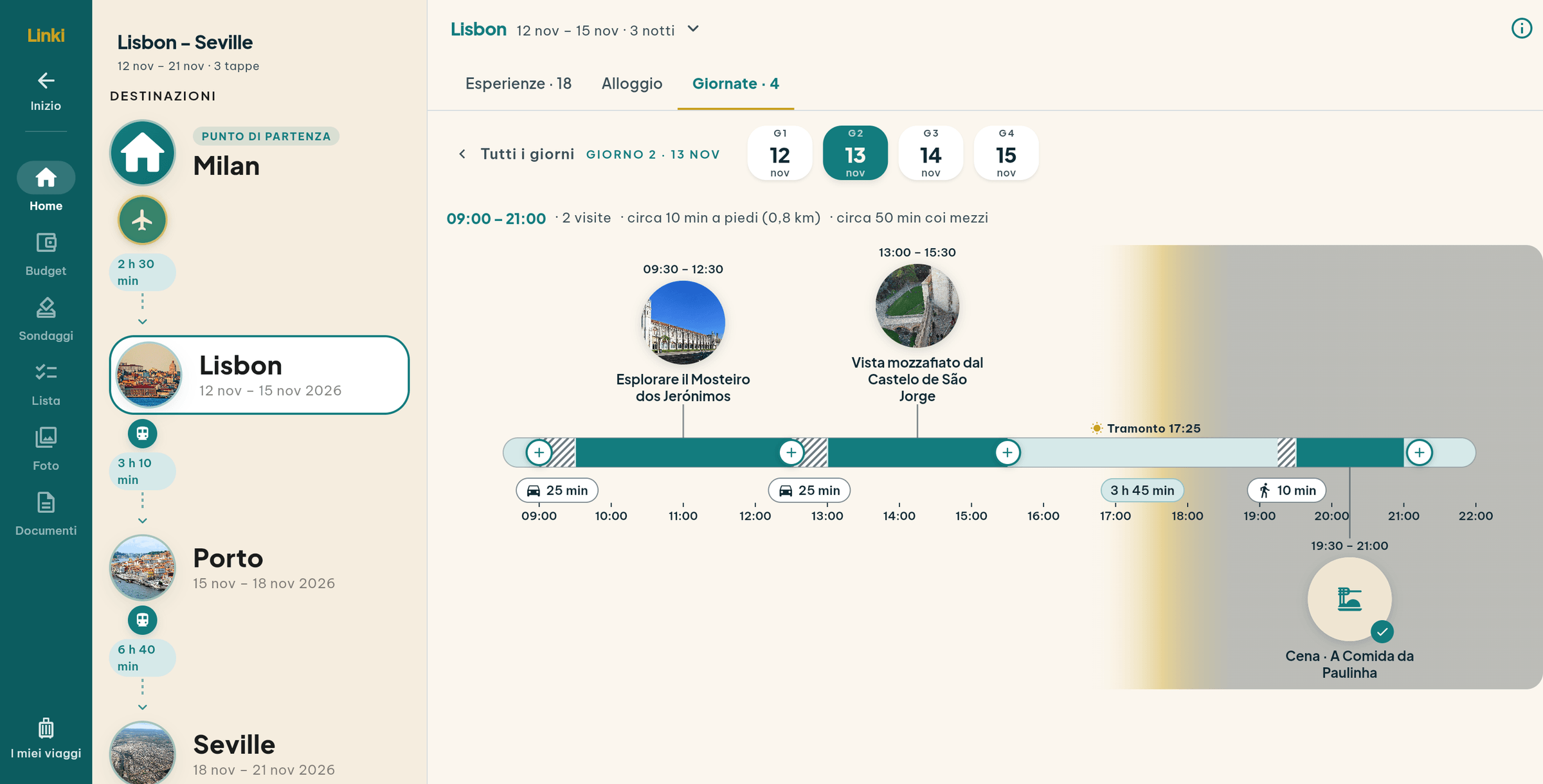
The whole trip on one screen: stops, day plan and map together.
Columns side by side in landscape, one panel at a time in portrait.
iPhone and Android. The store apps are on their way; until then the browser is enough.
English, Italian, Spanish, French. The interface speaks yours, the AI’s texts the organiser’s.
One thing the browser can’t do yet: upload photos and documents.
Pricing
Nearly everything free. Paid for what costs us money.
A trip is bought once, by the organiser, and covers the whole group. No subscriptions, and no per-person pricing: you pay for the size of the trip.
Always free
- The stops, the transport and the durations
- The polls: accommodation, things to do, restaurant
- Expenses, currencies and balances
- The ticket archive and the “paid for” stamp
- The pre-departure checklist
- The list of things to do
- The plan built by hand
- “Give me an idea”
In paid trips
- The daily plan built by the AI
- The complete place cards
- “Where to eat”, the local recommendations
- The shared photo gallery
- The card read out loud
- The trip programme as a PDF
Why the line falls there
The paid features are the ones that go through Google Places and speech synthesis, and each one costs us real money every time it opens. Everything else runs on open sources — OpenStreetMap, Wikidata, Wikipedia — and what’s free for us stays free for you.

The next trip starts here.
Create the trip, send the link to the group, and let the decisions make themselves.
The iPhone and Android apps are on their way. In the meantime Linki runs in full from the browser — including your phone’s.